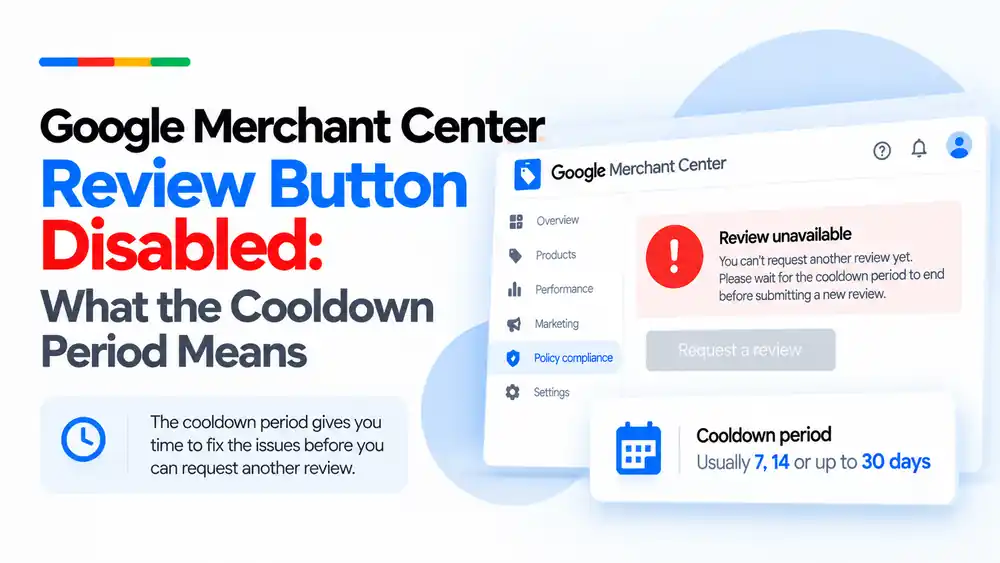
If the Request review button in Google Merchant Center is greyed out, your account is usually in a cool down period. Google adds this waiting time after a review has failed, and it can get longer with each unsuccessful review. You cannot skip it and Google support cannot shorten it, so use the time to fix every issue on your website, feed and ads, then submit one complete review when the button returns.
Last updated: 6 October 2026 · By Ashraful Islam, founder of GMC Fixer
Seeing the Request review button disabled in Google Merchant Center is stressful, especially when your products are offline. In 5+ years of fixing suspended accounts, this is one of the most common questions we get. The good news is that a greyed-out button rarely means the end of the account. It usually means Google has put you in a cool down period. This guide explains what that means, how long it can last, and how to use the time well.
What the cool down period is
The cool down period is a waiting time Google applies before you can request another review. According to Google, it starts after you have used your option to disagree with a decision and have tried to fix the issue, and the review button is disabled (greyed out) while it is active. You may see a message such as “Review unavailable” or a note that you cannot request another review yet.
Google also says that the cool down period may increase with each unsuccessful review, and that Google support cannot speed it up or remove it.
Why the review button is disabled
- A previous review failed. This is the most common reason. Google wants time to pass before the store is checked again.
- Several reviews failed in a row. Repeated requests without real changes usually lead to longer waits.
- You have already used your chance to disagree. Google notes that you may only have one chance to disagree with an issue.
- A review is already in progress. While Google is reviewing the account you cannot submit another request. Reviews can take up to 7 business days.
How long the cool down period lasts
Google does not publish exact durations, and they can vary by account and policy. Based on the accounts we have worked on, this is what we commonly see:
| Situation | Typical wait we see | What it means |
|---|---|---|
| After an early failed review | Around 7 days | Time to fix the issues properly before trying again |
| After repeated failed reviews | Around 14 days | Google is signalling that the fixes so far were not enough |
| After several failed reviews | Up to 30 days or longer | Each new request needs to be complete and well prepared |
Treat these as rough guides rather than rules. The actual date your button becomes available is shown in Merchant Center.
What to do during the cool down period
- Read the issue details carefully. Note the policy named, such as misrepresentation, and any affected products.
- Audit the whole store, not just one page. Check the About, Contact, shipping, returns and checkout pages.
- Fix business information and policies so they are complete and consistent everywhere.
- Clean up product data and claims. Correct prices, availability, identifiers, titles and images.
- Remove restricted or prohibited products from the website and the feed.
- Align Merchant Center settings and ads with what the website says.
- Prepare one complete review request for when the button becomes available.
Use our Google Merchant Center suspension checklist to make sure nothing is missed.
What not to do while you wait
- Do not open a new Merchant Center account to get around the wait. Read why in our guide to a new Merchant Center account after suspension.
- Do not ask Google support to remove the cool down. They cannot.
- Do not leave the store unchanged and hope the next review passes.
- Do not request a review the moment the button returns unless every fix is done.
Cool down period vs other review states
| State | What you see | What to do |
|---|---|---|
| Cool down period | Review button greyed out | Fix issues and wait for the button to return |
| Review in progress | Status shows the account is under review | Wait for the result, usually up to 7 business days |
| Warning period | Notice before suspension with a deadline | Fix issues and use the courtesy review if needed |
| Review available | Request review button active | Submit only when the store is fully fixed |
If your last review failed, read why Google Merchant Center reviews fail and our step-by-step guide on what to fix before requesting another review.
How GMC Fixer approaches the cool down period
We treat the cool down as preparation time. We audit the website, feed, Merchant Center settings and ads, fix every issue in the right order, and have a complete review request ready for the day the button returns. Learn more about our Google Merchant Center suspension fix service.
FAQ
Why is the Request review button greyed out in Merchant Center?
In most cases the account is in a cool down period. Google disables the review button for a while after a review has failed, so you cannot request another one straight away.
How long is the Google Merchant Center cool down period?
Google does not publish fixed lengths. In the accounts we work on we commonly see around 7 days after an early failed review, and longer waits such as 14 to 30 days after repeated failures. Google says the period may increase with each unsuccessful review.
Can Google support remove or shorten the cool down period?
No. Google states that support cannot expedite or remove the cool down period. The only option is to wait until the button becomes available again.
Does the cool down period mean my account is permanently suspended?
Not by itself. It means you have to wait before your next review request. However, each failed review can make the next wait longer, so it is important that your next request is well prepared.
What should I do during the cool down period?
Audit and fix everything a reviewer could flag: business information, policies, product claims, product data, restricted items and ads. When the button returns, request one complete review instead of several quick ones.
Related guides
- Google Merchant Center Review Failed: Why It Happens
- Google Merchant Center Review Failed: What to Fix Before Requesting Another Review
- Google Merchant Center Reinstatement: What to Expect
- 10 Patterns We Keep Seeing in Failed Merchant Center Reviews
- Google Merchant Center Product Page Blocked by Robots.txt: How to Fix Googlebot Access
- Google Merchant Center Automatic Updates: Should You Enable Them?
Get a free review of your account
If your review button is disabled and you are not sure what to fix, send us the details and we will review your store and account for free. Contact us here. We reply within 24 hours.
Leave a Reply