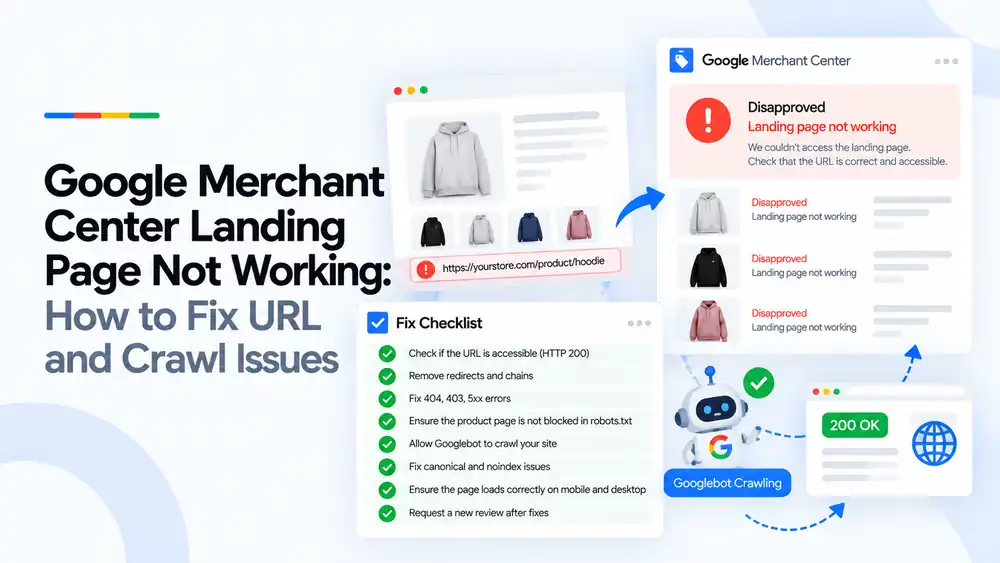
“Landing page not working” means Google tried to open the product URL in your feed and could not load it properly. The usual causes are 404 or 5xx errors, broken redirects, pages blocked by robots.txt, firewalls or bot protection blocking Google’s crawlers, and URLs that do not match the live product page. Fix it by making sure every product link returns a working page (HTTP 200) on desktop and mobile, that Googlebot and Storebot-Google are allowed to crawl it, and that the feed uses the correct final URL.
Last updated: 1 October 2026 · By Ashraful Islam, founder of GMC Fixer
Landing page errors are frustrating because the store usually looks fine when you open it yourself. The problem is that Google is not visiting the page the same way you are. Security tools, redirects and server settings can block Google even when the page works for shoppers. This guide explains what the error means, what Google checks, and how to fix URL and crawl issues, based on 5+ years of Merchant Center work.
What the landing page not working error means
Every product in your feed has a link attribute pointing to its product page. Google visits that page to confirm the product, price and availability. If the page fails to load, returns an error or is blocked, Merchant Center shows issues such as “Landing page not working”, “Unavailable desktop landing page”, “Unavailable mobile landing page” or “Page not found”, and the product is disapproved.
What Google checks on a landing page
| Check | What Google expects |
|---|---|
| HTTP status | The page returns 200 OK, not 404, 403 or 5xx |
| Access | Googlebot and Storebot-Google are not blocked by robots.txt, firewalls or bot protection |
| Redirects | The link opens the product page directly or through a short, working redirect |
| Content | The page shows the same product, price and availability as the feed |
| Devices | The page loads correctly on both desktop and mobile |
| Domain | The URL uses your verified and claimed website domain |
Common causes of landing page errors
| Cause | What happens |
|---|---|
| Deleted or renamed products | The feed still points to an old URL that returns 404 |
| Firewall, Cloudflare or bot protection rules | Google’s crawlers get a 403 or a challenge page |
| robots.txt blocking product pages | Google is not allowed to crawl the page |
| Long redirect chains or redirects to the homepage | Google cannot reach the actual product page |
| Server errors or slow hosting | Google receives 5xx errors or timeouts |
| Location, age or password gates | Google cannot see the product content |
| Wrong domain or http instead of https in the feed | The URL does not match the verified website |
| Mobile-only problems such as broken mobile themes | The mobile landing page is flagged as unavailable |
How to fix landing page and crawl issues, step by step
- Check if the URL is accessible. Open the exact link from the feed in a private window and check it returns HTTP 200.
- Remove unnecessary redirects and chains. Use the final product URL in the feed instead of URLs that redirect.
- Fix 404, 403 and 5xx errors. Restore missing pages, update the feed for deleted products, and fix server or hosting errors.
- Make sure robots.txt does not block product pages. Allow Googlebot and Storebot-Google to crawl product URLs and images.
- Allow Google’s crawlers through security tools. Check firewall, CDN and bot protection settings so they do not challenge or block Google.
- Check canonical and noindex settings. Make sure product pages are not set to noindex by mistake and canonical tags point to the correct product page.
- Test on mobile and desktop. Confirm the page loads and shows the product correctly on both.
- Request a new review after fixes. Update the feed and request a review where Merchant Center offers it, or wait for Google to recrawl.
A quick landing page checklist
- Every product link returns HTTP 200
- Feed uses the final URL with https and the verified domain
- No redirect chains or redirects to the homepage
- robots.txt allows Googlebot and Storebot-Google
- Firewall and bot protection allow Google’s crawlers
- No location, age or password gates on product pages
- Pages load correctly on mobile and desktop
- Deleted products removed from the feed
You can test what Google sees with the URL Inspection tool in Google Search Console. If the page loads but shows the wrong price or stock, read our guides to price mismatch and availability mismatch.
What not to do
- Do not block all bots in your firewall without making an exception for Google.
- Do not send product links to the homepage or a category page.
- Do not leave deleted products in the feed.
- Do not use tracking URLs that redirect several times before reaching the product.
- Do not assume the page works for Google just because it works for you.
Landing page not working vs. website needs improvement
| Landing page not working | Website needs improvement | |
|---|---|---|
| What it means | Google cannot load specific product pages | Google thinks the website is not trustworthy or complete |
| Level | Usually product-level | Account-level |
| Typical causes | Errors, redirects, blocked crawlers | Missing policies, contact details, poor content |
| Fix | Fix URLs and crawl access | Improve website content and trust signals |
If your whole account is affected, read our guide to website needs improvement.
How GMC Fixer approaches landing page issues
We check how Google’s crawlers see your product pages, review your robots.txt, redirects, security settings and feed URLs, and fix the source of the errors so products are approved again. This is part of our Google Merchant Center suspension fix service.
Frequently asked questions
What does landing page not working mean in Google Merchant Center?
It means Google could not load the product page linked in your feed. Google needs to open every landing page to check the product, price and availability, so products with broken or blocked pages are disapproved.
Which crawlers does Google Merchant Center use?
Google uses Googlebot and Storebot-Google to check product landing pages. Both need to be able to access your product pages, so make sure robots.txt, firewalls and bot protection tools do not block them.
Are redirects allowed for product landing pages?
Short redirects that end on the correct product page usually work, but long redirect chains, redirects to the homepage or redirects to a different domain often cause errors. It is best to use the final product URL directly in your feed.
Why does my page work for me but not for Google?
Common reasons are bot protection or firewall rules that block Google, location or age gates, pages that only load after scripts run, and caching or CDN rules that serve errors to crawlers. Test the URL with the URL Inspection tool in Search Console to see what Google sees.
How long does it take for products to be approved after fixing the landing page?
Google recrawls the product pages automatically, usually within a few days. Updating the feed can speed this up, and where Merchant Center offers it, you can request a review of the affected products.
Related guides
- Google Shopping product feed errors
- Google Merchant Center website needs improvement: how to fix it
- Google Merchant Center price mismatch: causes and fixes
- Google Merchant Center availability mismatch: how to fix it
- Google Merchant Center Free Shipping Claims
- Google Merchant Center Review Failed
- Common Problems Found in 100 Suspended Merchant Center Stores
- 10 Patterns We Keep Seeing in Failed Merchant Center Reviews
- What We Learned From Reviewing Suspended Dropshipping Stores
- Google Merchant Center Review Failed: Why It Happens
- Google Merchant Center Review Button Disabled: What the Cooldown Period Means
- Google Merchant Center Product Page Blocked by Robots.txt: How to Fix Googlebot Access
- Google Merchant Center Automatic Updates: Should You Enable Them?
Get a free review of your account
If Merchant Center is disapproving products for landing page errors, send us your store URL and a screenshot of the issue. We will tell you what is causing it and how to fix it, and we reply within 24 hours.
Leave a Reply