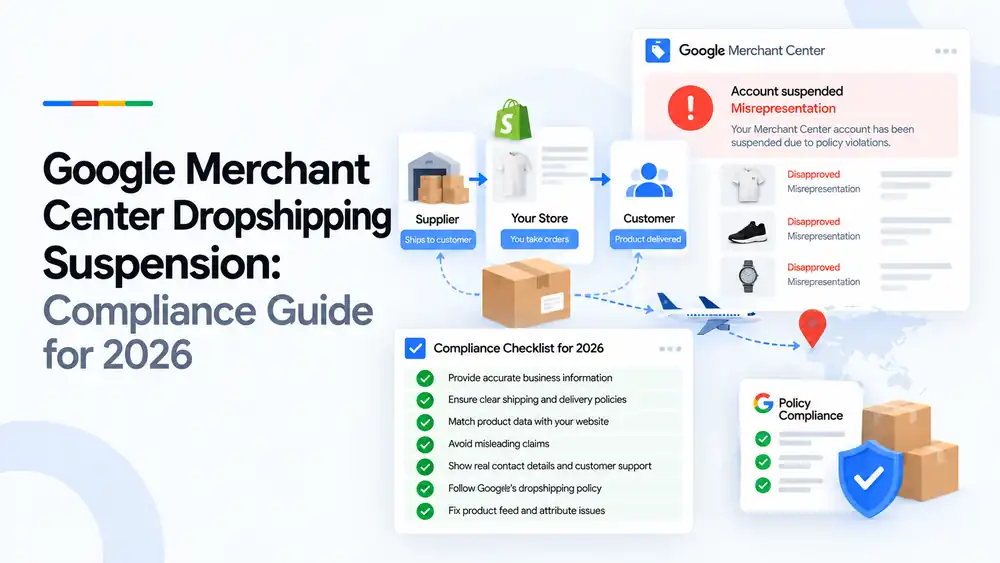
Google Merchant Center does not ban dropshipping, but dropshipping stores are suspended more often because they tend to break the misrepresentation and shipping rules. Common problems are unclear business details, unrealistic delivery times, copied supplier content, hidden costs and product data that does not match the store. To stay compliant, show who you are, state real delivery times and return terms, match your feed to your website, and take responsibility for every order as the seller.
Last updated: 1 October 2026 · By Ashraful Islam, founder of GMC Fixer
Dropshipping stores make up a large share of the suspended accounts we see. The model is not the problem. The problem is that many dropshipping stores are built quickly from templates, supplier catalogues and apps, and they end up looking like the type of store Google’s misrepresentation policy is designed to stop. This guide explains how to keep a dropshipping store compliant in 2026, based on 5+ years of Merchant Center recovery work.
What a dropshipping suspension means
In a dropshipping model, a supplier ships directly to your customer while you take the order. To Google and to the shopper, you are the seller. A suspension means Google has decided your store does not meet its policies, most often for misrepresentation, and it stops all of your products from showing until the issues are fixed.
What Google expects from dropshippers
| Area | What Google expects |
|---|---|
| Seller identity | Your own business name, contact details and address, not your supplier’s |
| Delivery | Realistic handling and transit times shown before purchase |
| Returns | A clear returns process, including where items go and who pays |
| Product content | Accurate descriptions and images that match what arrives |
| Pricing | All costs shown before checkout, with no hidden fees |
| Customer support | A real way for customers to reach you and get help |
Common dropshipping compliance problems
| Problem | Why it causes a suspension |
|---|---|
| No business name, address or phone number | Shoppers cannot tell who they are buying from |
| Delivery times hidden or understated | Shoppers are misled about when orders will arrive |
| Supplier descriptions and images copied as-is | Low-quality, duplicate content and possible inaccurate claims |
| Unrealistic discounts and fake compare-at prices | Misleading pricing |
| Fake reviews, countdown timers and sales popups | Misleading urgency and social proof |
| Returns only to an overseas address without warning | Unclear or unfair returns terms |
| Shipping settings in Merchant Center that do not match the store | Shipping and delivery mismatches |
| Branded or replica products from unverified suppliers | Possible counterfeit or trademark problems |
The 2026 compliance checklist, step by step
- Provide accurate business information. Show your business name, email, phone number and address, and use the same details in Merchant Center.
- Ensure clear shipping and delivery policies. State handling time, transit time and costs for each country you ship to.
- Match product data with your website. Make sure prices, availability, shipping and identifiers in the feed match the live product pages.
- Avoid misleading claims. Remove fake reviews, timers, unsupported badges and inflated compare-at prices.
- Show real contact details and customer support. Offer a contact page, a support email and, where possible, a phone number.
- Follow Google’s requirements for dropshippers. Act as the seller, take responsibility for orders and returns, and only sell products you can legally sell.
- Fix product feed and attribute issues. Resolve missing GTINs, brands, apparel attributes and shipping settings before requesting a review.
A quick dropshipping checklist
- Business name, address and phone shown on the website
- Delivery times shown on product pages and in the shipping policy
- Merchant Center shipping settings match the store
- Returns policy explains where items go and who pays
- Product descriptions rewritten and accurate
- Own product photos or accurate supplier images
- No fake reviews, timers or popups
- No branded or replica products without proof of authenticity
If your delivery information is the issue, read our guide to shipping mismatch errors.
What not to do
- Do not hide delivery times to make the store look faster.
- Do not use your supplier’s business details as your own.
- Do not sell branded goods from suppliers you cannot verify.
- Do not request a review before fixing every issue.
- Do not create a new Merchant Center account to get around a suspension.
Dropshipping store vs. stock-holding store
| Dropshipping store | Stock-holding store | |
|---|---|---|
| Who ships | Supplier ships to the customer | You ship from your own stock |
| Common risk areas | Delivery times, seller identity, returns, copied content | Stock accuracy, pricing |
| Google’s rules | The same policies apply | The same policies apply |
| Extra care needed | Clear delivery and returns information | Keeping availability up to date |
Dropshipping stores are often on Shopify, so our Shopify suspension checklist is also worth reading.
How GMC Fixer approaches dropshipping suspensions
We review your store, supplier setup, delivery and returns information, and product feed against Google’s policies, fix the gaps that make the store look untrustworthy, and prepare the account for review. This is part of our Google Merchant Center suspension fix service. We only work with stores that sell genuine products and can deliver what they promise.
Frequently asked questions
Is dropshipping allowed in Google Merchant Center?
Yes. Google allows dropshipping as long as the store meets the same policies as any other merchant. You are treated as the seller, so you are responsible for accurate information, delivery, returns and customer support.
Why do dropshipping stores get suspended for misrepresentation?
Because they often lack clear business information, use supplier content and images, show unrealistic delivery times, or make claims they cannot support. Google sees these as signs that shoppers may be misled about who they are buying from and what they will receive.
Do I need to show my supplier’s details?
No. You should show your own business details, because you are the seller. What matters is that shoppers can contact you, understand your delivery times and know how returns work.
How should I handle long delivery times?
State them clearly. Show realistic handling and transit times on product pages, in your shipping policy and in Merchant Center shipping settings. Hiding long delivery times is one of the most common causes of dropshipping suspensions.
Can I return items to my supplier instead of my own address?
You can, but your returns policy must explain clearly where items go, who pays for return shipping and how long refunds take. Shoppers must not be surprised by an overseas return address after they buy.
Related guides
- Google Merchant Center misrepresentation suspension: how to fix it
- Google Merchant Center Shopify suspension: complete fix checklist
- Google Merchant Center shipping mismatch: why it happens and how to fix it
- Google Merchant Center account suspended for counterfeit products
- Can you create a new Google Merchant Center account after suspension?
- Google Merchant Center landing page not working: how to fix URL and crawl issues
- Google Merchant Center Free Shipping Claims
- Google Merchant Center Review Failed
- Common Problems Found in 100 Suspended Merchant Center Stores
- 10 Patterns We Keep Seeing in Failed Merchant Center Reviews
- What We Learned From Reviewing Suspended Dropshipping Stores
- Google Merchant Center Review Failed: Why It Happens
- Google Merchant Center Review Button Disabled: What the Cooldown Period Means
- Google Merchant Center Product Page Blocked by Robots.txt: How to Fix Googlebot Access
- Google Merchant Center Automatic Updates: Should You Enable Them?
Get a free review of your account
If your dropshipping store has been suspended in Google Merchant Center, send us your store URL and a screenshot of the issue. We will tell you what is causing it and how to fix it, and we reply within 24 hours.
Leave a Reply