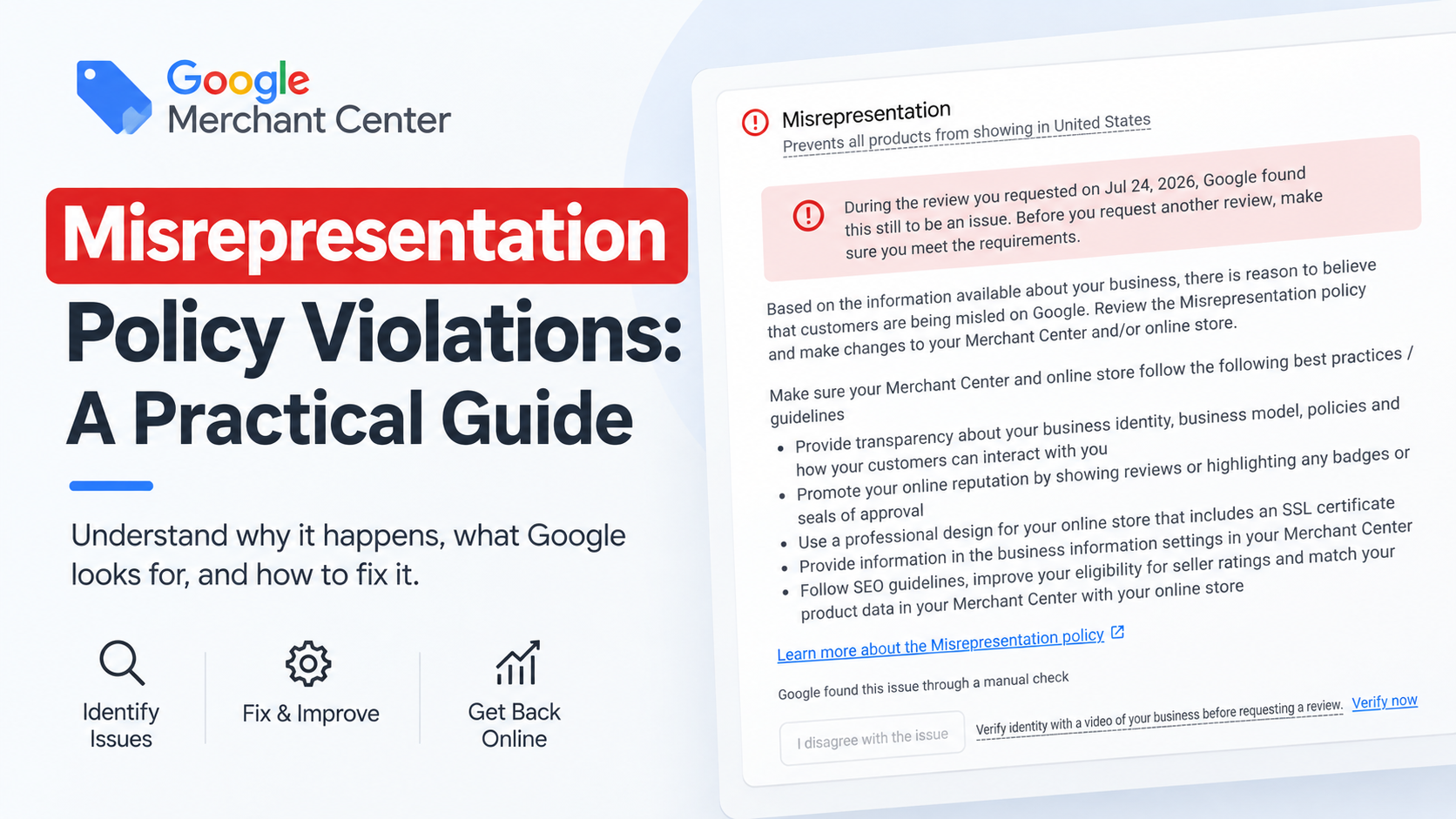
A Google Merchant Center misrepresentation suspension means Google does not trust that your store is honest and transparent with shoppers. The usual causes are unclear business identity, missing contact details or policies, misleading prices or claims, and an incomplete website. Fix every one of these across the whole site, then request a review.
Last updated: 1 October 2026 · By Ashraful Islam, founder of GMC Fixer
Misrepresentation is Google Merchant Center’s broadest policy and the most common reason accounts get suspended. It covers anything that could mislead shoppers about who they are buying from, what they are buying or the terms of the purchase. So one suspension can come from a business-identity problem, a website problem or a product-data problem, often several at once. This guide shows how we find and fix the real cause, based on 5+ years of misrepresentation cases.
What counts as misrepresentation
| Trigger | Signs Google may see | How to fix it |
|---|---|---|
| Unclear business identity | No business name, or a name that differs between the site and Merchant Center | Use one exact business name everywhere and explain who runs the store on an About page |
| Missing contact information | Only a contact form, no email or phone | Show a monitored email, a phone number and, where appropriate, an address |
| Missing or unclear policies | No returns, refund or shipping policy, or policies that contradict checkout | Publish clear policies and link them in the footer and at checkout |
| Misleading prices or offers | Fake “was” prices, endless countdown timers, hidden fees | Use real reference prices and show the full cost before checkout |
| Unsupported claims | “Cures”, “guaranteed results”, fake reviews or trust badges | Remove claims you cannot prove and any badges you are not entitled to |
| Incomplete website | Placeholder text, “coming soon” pages, broken checkout | Finish or remove unfinished pages and test the full checkout |
Why this policy catches so many stores
Misrepresentation is a catch-all by design. Google uses it when something about a store does not add up for a shopper, even if no single element is badly wrong. A slightly different business name, a returns page that is hard to find and a contact form instead of a real email can add up to a flag, even though each looks minor alone. That is why a full audit matters more than fixing the one thing that looks most obvious.
Audit the store the way a reviewer would
Business identity and contact
- The business name is identical on the website, checkout, invoices, Merchant Center and your Google Business Profile.
- There is a real, monitored email and phone number, not just a form.
- The About page says who runs the business, where it operates and what it sells.
Policies
- Returns, refunds and shipping are published, specific and easy to find.
- The return window, costs and delivery times match what checkout and Merchant Center say.
- Privacy policy and terms are published and linked.
Pricing, offers and claims
- Discounts compare against real prices you actually charged.
- No hidden fees appear only at the final step.
- Product claims are accurate and backed up. No fake reviews or trust badges.
Website quality
- Every page is finished, with no placeholder or “coming soon” content.
- Checkout works from start to finish on desktop and mobile.
- The site uses HTTPS and has no broken links in the menu or footer.
Extra checks for dropshipping stores
Dropshipping stores are flagged more often because of long delivery times and supplier content. If you dropship:
- State realistic delivery times, including international shipping.
- Explain the returns process clearly, including where items are returned to.
- Rewrite supplier descriptions and avoid copied product photos with other stores’ branding.
- Do not hide that orders ship from another country if they do.
How to fix a misrepresentation suspension, step by step
- Write down the exact policy Google cites and when the suspension started.
- Audit every area above and list everything that is missing or inconsistent.
- Fix the business identity and contact details first, because they affect everything else.
- Fix policies, pricing and claims, then test the full checkout.
- Update Merchant Center so business info, shipping and returns match the site.
- Request one review only when every fix is live. See what to expect during reinstatement.
What not to do
- Do not open a new Merchant Center account to get around the suspension. It can be treated as circumventing systems.
- Do not request several reviews in a row without new changes.
- Do not change the site heavily while a review is running.
- Do not add trust badges, awards or reviews you cannot prove.
How misrepresentation differs from a product disapproval
A misrepresentation issue is almost always about the business or the website as a whole, not one product listing. That is why it usually causes an account-level suspension rather than a single disapproval, and why the fix has to happen at website and business level. See why Google Merchant Center suspends accounts for how it compares with other causes, such as product feed errors.
Preventing a repeat flag
Once you are reinstated, keep your business name and contact details identical everywhere you sell. Re-check your policy pages whenever you change carrier, return window or refund process. A policy page that quietly goes out of date is a common reason this issue comes back months later.
How GMC Fixer approaches misrepresentation suspensions
We audit the whole site against everything Google checks for misrepresentation, not only the detail the notice mentions. We then fix what is missing or inconsistent and prepare the review request. Misrepresentation is the most common case we handle through our Google Merchant Center suspension fix service, and like every case it is covered by our No Fix, No Fee guarantee.
Frequently asked questions
What does misrepresentation mean in Google Merchant Center?
It means Google is not confident that your store is honest and transparent with shoppers about who you are, what you sell, or the terms of the sale. It usually leads to an account-level suspension rather than a single product disapproval.
How do I fix a misrepresentation suspension?
Audit the whole store, not just one page: business identity, contact details, policies, pricing, product claims and checkout. Fix everything that is missing or inconsistent, make sure it matches your Merchant Center settings, and only then request a review.
Why does Google not tell me exactly what is wrong?
Google names the policy but rarely the specific problem, partly to stop stores from fixing only the surface issue. That is why a full audit works better than guessing.
Can a dropshipping store pass Google’s misrepresentation checks?
Yes, but dropshipping stores are flagged more often. Realistic delivery times, a clear returns process, original product content and visible business details make the biggest difference.
How long does a misrepresentation fix take?
The fixes themselves usually take a few days to about 10 days, depending on how much of the site needs changing. Google’s review afterwards often takes about a week, sometimes longer.
Related guides
- Google Merchant Center suspension checklist
- Why Google Merchant Center suspends accounts
- Google Merchant Center reinstatement: what to expect
- Google Shopping product feed errors
- Google Merchant Center website needs improvement: how to fix it
- Google Merchant Center counterfeit products suspension: what to do
- Google Merchant Center price mismatch: causes and fixes
- Google Merchant Center availability mismatch: how to fix it
- Google Merchant Center shipping mismatch: why it happens and how to fix it
- Google Merchant Center missing GTIN: when you need it and how to fix it
- Google Merchant Center invalid GTIN: causes, examples and fixes
- Google Merchant Center missing brand attribute: how to fix product disapprovals
- Google Merchant Center missing color, gender and age group: complete apparel fix guide
- Google Merchant Center Shopify suspension: complete fix checklist
- Google Merchant Center WooCommerce suspension: what to check before review
- Google Merchant Center dropshipping suspension: compliance guide for 2026
- Can you create a new Google Merchant Center account after suspension?
- Google Merchant Center landing page not working: how to fix URL and crawl issues
- Google Merchant Center Free Shipping Claims
- Google Merchant Center Review Failed
- Common Problems Found in 100 Suspended Merchant Center Stores
- 10 Patterns We Keep Seeing in Failed Merchant Center Reviews
- What We Learned From Reviewing Suspended Dropshipping Stores
- Google Merchant Center Review Failed: Why It Happens
- Google Merchant Center Review Button Disabled: What the Cooldown Period Means
- Google Merchant Center Product Page Blocked by Robots.txt: How to Fix Googlebot Access
- Google Merchant Center Automatic Updates: Should You Enable Them?
Get a free review of your account
If your Merchant Center account was suspended for misrepresentation, send us your suspension notice and store URL. We will tell you what is triggering it and what fixing it involves, and we reply within 24 hours.
Leave a Reply