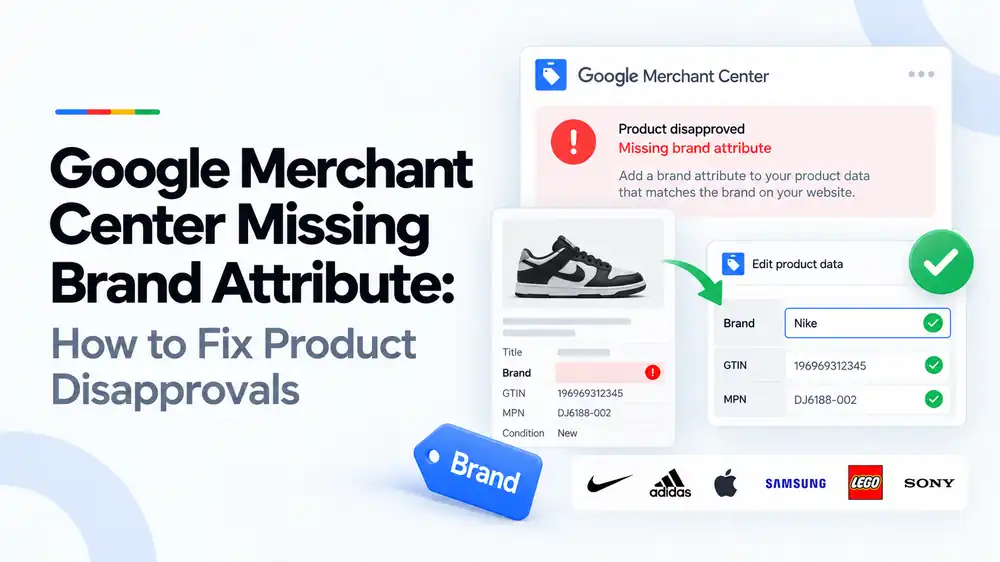
A missing brand attribute in Google Merchant Center means a product was submitted without the brand value Google needs to identify it. Brand is required for most new products, except a few categories such as books, films and music. Fix it by adding the real manufacturer’s brand to every product in your store and feed. Use your own store name only when you make the product or sell it under your own label, and never use values like “N/A” or “generic”.
Last updated: 1 October 2026 · By Ashraful Islam, founder of GMC Fixer
The brand attribute looks simple, but missing or wrong brand values cause a surprising number of product disapprovals in Google Merchant Center. Often the store owner did add a brand on the website, but the feed sends the wrong field, an empty field, or the store name instead of the real manufacturer. This guide explains when Google needs a brand, which value to use for different products, and how to fix missing brand disapprovals, based on 5+ years of Merchant Center work.
What the missing brand attribute error means
Every product you submit can include a brand attribute naming the company that makes it. Google uses the brand, together with the GTIN and MPN, to understand exactly which product you sell and to show it in the right searches. When the brand is empty, Merchant Center flags the product, usually as “Missing value [brand]”, and the product is disapproved or limited until it is fixed.
When Google requires a brand
| Product type | Brand required? | What to use |
|---|---|---|
| Products made by another company | Yes | The manufacturer’s brand, exactly as it appears on the product |
| Your own label or private label products | Yes | Your brand name, or your store name if that is how you sell them |
| Handmade or custom products you make | Yes | Your brand or store name |
| Compatible accessories | Yes | The brand of the accessory maker, not the device brand |
| Books, films and music | Usually not | Use the identifiers for that category, such as ISBN for books |
Valid and invalid brand values
| Value | Valid? | Why |
|---|---|---|
| The real manufacturer’s name | Yes | Accurately identifies the product |
| Your own brand for products you make | Yes | You are the manufacturer |
| Your store name for other brands’ products | No | The product is not made by your store |
| N/A, none, generic, unbranded, no brand | No | Google treats these as invalid values |
| A supplier or wholesaler name | No | Usually not the brand on the product |
| The device brand on a compatible accessory | No | Can make the product look like the device maker’s official item |
The brand should be short and match what shoppers see on the product and your product page. Google limits the brand to 70 characters.
Common causes of missing brand errors
- The feed app maps the wrong store field to
brand, or no field at all - On Shopify, the Vendor field is empty or contains the store or supplier name
- On WooCommerce, brands are stored in a plugin or attribute the feed does not read
- Products imported from suppliers without brand information
- Supplemental feeds or feed rules that overwrite the brand with an empty value
- Brand only written in the product title, not in its own field
How to fix a missing brand attribute, step by step
- Open the issue in Merchant Center. Note which products are affected and whether the issue is missing, invalid or incorrect brand.
- Check where your feed gets the brand. Find the store field your feed app maps to
brand, such as Vendor on Shopify or a brand attribute on WooCommerce. - Add the real brand to each product. Use the manufacturer’s name for resold products and your own brand for products you make.
- Remove invalid values. Replace N/A, generic, unbranded and similar values with a real brand.
- Check compatible products. Use the accessory maker’s brand and say “compatible with” the device brand in the title instead.
- Show the brand on the product page. Make sure the brand on the website matches the feed.
- Update the feed. Let Google reprocess the products, or request a review where Merchant Center offers one.
A quick brand checklist
- Every product has a value in the brand attribute
- Resold products use the real manufacturer’s brand
- Own-label products use your brand consistently
- No N/A, generic, unbranded or empty values
- Compatible accessories do not use the device maker’s brand
- The brand on the product page matches the feed
- Brand values are 70 characters or fewer
Brand works together with GTIN and MPN, so also check our guides to missing GTIN and invalid GTIN issues.
What not to do
- Do not put your store name as the brand for products made by other companies.
- Do not use another brand’s name on unbranded or compatible products.
- Do not use placeholder values just to clear the error.
- Do not leave the brand only in the title.
- Do not change the brand in Merchant Center without updating your store, or the next sync will undo it.
Missing brand vs. wrong brand
| Missing brand | Wrong brand | |
|---|---|---|
| What happened | No brand value was sent | A brand was sent but it is inaccurate |
| Usual impact | Product disapproval or limited visibility | Disapproval, poor matching, or account risk |
| Risk | Low on its own | Higher if products appear to use other brands’ names |
| Fix | Add the real brand | Replace it with the real manufacturer’s brand |
Using other brands’ names on products they did not make can make listings look counterfeit. If that applies to you, read our guide to counterfeit products suspensions.
How GMC Fixer approaches brand attribute issues
We check how your store and feed handle brand data, find products with missing, invalid or misleading brands, and fix the mapping so new products are submitted correctly. This is part of our Google Merchant Center suspension fix service, and it works for both product disapprovals and wider account problems.
Frequently asked questions
What does missing brand attribute mean in Google Merchant Center?
It means a product in your feed has no value in the brand attribute. Google requires a brand for most new products so it can identify what you sell, so affected products are usually disapproved until a brand is added.
Which products need a brand in Google Merchant Center?
Most new products with a clearly associated brand or manufacturer need one. Google makes exceptions for a few categories, such as books, films and music recordings, where other identifiers are used.
Can I use my store name as the brand?
Only if you make the product yourself or sell it under your own label. If you resell products made by another company, use that company’s brand. Using your store name for other brands’ products is inaccurate product data.
What should I put as the brand for generic or unbranded products?
If you sell the product under your own label, use that label or your store name. Do not submit values like N/A, none, generic, unbranded or no brand, because Google treats these as invalid.
Why does Shopify send the wrong brand to Google?
The Google and YouTube app on Shopify usually uses the Vendor field as the brand. If Vendor contains your store name, a supplier name or is empty, Google receives the wrong or missing brand. Update the Vendor field for each product.
Related guides
- Google Merchant Center missing GTIN: when you need it and how to fix it
- Google Merchant Center invalid GTIN: causes, examples and fixes
- Google Shopping product feed errors
- Google Merchant Center suspension checklist
- Google Merchant Center missing color, gender and age group: complete apparel fix guide
- Google Merchant Center Shopify suspension: complete fix checklist
- Google Merchant Center WooCommerce suspension: what to check before review
- Google Merchant Center dropshipping suspension: compliance guide for 2026
- Can you create a new Google Merchant Center account after suspension?
- Google Merchant Center landing page not working: how to fix URL and crawl issues
- Google Merchant Center Free Shipping Claims
- Google Merchant Center Review Failed
- Common Problems Found in 100 Suspended Merchant Center Stores
- 10 Patterns We Keep Seeing in Failed Merchant Center Reviews
- What We Learned From Reviewing Suspended Dropshipping Stores
- Google Merchant Center Review Failed: Why It Happens
- Google Merchant Center Review Button Disabled: What the Cooldown Period Means
- Google Merchant Center Product Page Blocked by Robots.txt: How to Fix Googlebot Access
- Google Merchant Center Automatic Updates: Should You Enable Them?
Get a free review of your account
If Merchant Center is disapproving products for missing brand values, send us your store URL and a screenshot of the issue. We will tell you what is causing it and how to fix it, and we reply within 24 hours.
Leave a Reply