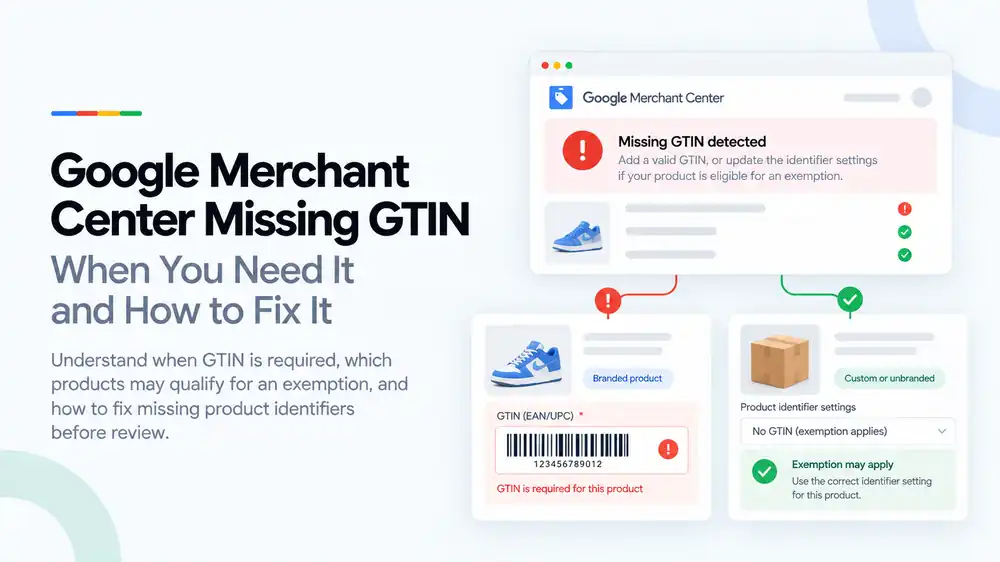
A missing GTIN issue in Google Merchant Center means Google expects a barcode number, such as a UPC or EAN, for a product that has one. GTINs are needed for branded products the manufacturer has assigned a GTIN to. Custom, handmade, vintage and many own-brand products without a GTIN can be submitted without one by setting identifier_exists to “no” and adding the brand and MPN where you have them. Never make up a GTIN.
Last updated: 1 October 2026 · By Ashraful Islam, founder of GMC Fixer
Missing GTIN warnings are among the most common product issues in Google Merchant Center, and they cause a lot of confusion. Some store owners panic and buy random barcodes. Others ignore the warning on products that really do need a GTIN. The right fix depends on one question: does your product have a GTIN assigned by its manufacturer? This guide explains when you need a GTIN, which products can go without one, and how to fix missing product identifiers, based on 5+ years of Merchant Center work.
What a GTIN is and why Google asks for it
A GTIN, or Global Trade Item Number, is the number behind a product’s barcode. Google uses it, together with the brand and MPN (manufacturer part number), to identify exactly which product you sell. That helps Google show your product in the right searches and next to the same item from other stores.
| GTIN type | Where it is used | Length |
|---|---|---|
| UPC | Mainly North America | 12 digits |
| EAN | Europe and many other regions | 13 digits (sometimes 8) |
| JAN | Japan | 13 or 8 digits |
| ISBN | Books | 13 digits (older books may use 10) |
| ITF-14 | Multipacks and cases | 14 digits |
When you need a GTIN, and when you do not
| Product type | GTIN needed? | What to submit |
|---|---|---|
| Branded product with a manufacturer barcode | Yes | The real GTIN, plus brand and MPN |
| Your own brand with GS1 barcodes | Yes | Your GS1 GTIN and your brand |
| Your own brand with no barcodes | No | Brand and MPN if you have one, and identifier_exists set to no |
| Custom-made or personalised products | No | identifier_exists set to no |
| Handmade products | No | identifier_exists set to no, and your brand if you use one |
| Vintage or antique items | Usually no | identifier_exists set to no |
| Bundles you create yourself | Depends | The GTIN of the main item in the bundle, and the is_bundle attribute |
The key rule: if the manufacturer has assigned a GTIN, Google expects you to send it. If the product genuinely has no GTIN, tell Google that instead of leaving the field empty or inventing one.
Common causes of missing GTIN issues
- Branded products imported from a supplier without their barcodes
- A store platform or feed app that does not map the barcode field to
gtin - Own-brand or custom products where
identifier_existswas never set to no - GTINs typed with missing digits, spaces or the wrong check digit
- Variants sharing one GTIN when each size or colour has its own
- Barcodes bought from resellers that belong to another company
How to fix a missing GTIN, step by step
- Open the issue in Merchant Center. Note which products are affected and whether the issue says missing, invalid or incorrect GTIN.
- Sort the products into two groups. Products that have a manufacturer GTIN, and products that genuinely do not.
- Collect real GTINs. Get them from the product packaging, your supplier or the brand. Check each variant has its own number.
- Add GTINs to your store and feed. Map your platform’s barcode field to the
gtinattribute and add brand and MPN. - Mark products without a GTIN. Set
identifier_existsto no for custom, handmade, vintage and own-brand items with no barcode. - Check the format. Use digits only, the correct length and a valid check digit.
- Update the feed and let Google reprocess it. Product warnings usually clear after the next update.
A quick product identifier checklist
- Every branded product with a barcode has its real GTIN in the feed
- Each variant has its own GTIN where the manufacturer assigns one
- Brand is filled in for every product
- MPN is added where available
- Products without a GTIN use
identifier_existsset to no - No invented, copied or resold GTINs
- GTINs contain digits only and pass the check digit
Product identifiers are part of your feed quality, so also read our guide to Google Shopping product feed errors.
What not to do
- Do not make up GTINs or reuse one GTIN across different products.
- Do not set
identifier_existsto no for branded products that have a barcode. - Do not use another brand’s GTIN on an unbranded or compatible product.
- Do not buy cheap barcodes from resellers for your own brand without checking how they are registered.
- Do not ignore invalid GTIN errors. They can block products entirely.
Missing GTIN vs. more serious product issues
| Missing GTIN | Invalid or fake GTIN | |
|---|---|---|
| Usual impact | A warning or limited product performance | Product disapproval |
| Cause | A real GTIN was not submitted | The number is wrong, made up or belongs to another product |
| Account risk | Low on its own | Higher when wrong product data is widespread |
| Fix | Add the real GTIN or mark the product as having none | Replace it with the correct GTIN or remove it |
Using GTINs that belong to other brands can also make products look counterfeit. If that applies to you, read our guide to counterfeit products suspensions.
How GMC Fixer approaches product identifier issues
We review your product catalogue and feed to see which products need a GTIN, which should be marked as having none, and where numbers are missing, invalid or wrongly mapped. We then fix the feed setup so identifiers stay correct as you add new products. This is part of our Google Merchant Center suspension fix service, and it works for both product warnings and wider account problems.
Frequently asked questions
What is a GTIN in Google Merchant Center?
A GTIN, or Global Trade Item Number, is the barcode number a manufacturer assigns to a product. Common types are UPC in North America, EAN in Europe and many other regions, JAN in Japan, and ISBN for books. Google uses it to match your product with the same item sold by other stores.
Is GTIN required for all products?
No. Google expects a GTIN for products that the manufacturer has assigned one to, which covers most branded products. Custom-made, handmade, vintage and many own-brand products do not have a GTIN, and you can submit them without one.
How do I submit products that do not have a GTIN?
Set the identifier_exists attribute to no for those products, and add the brand and MPN where you have them. Only do this when the product really has no GTIN. If the manufacturer has assigned one, Google expects you to send it.
Will a missing GTIN get my account suspended?
A missing GTIN usually causes a product-level warning or limited performance, not a suspension. Invalid or fake GTINs are more serious: they can lead to disapprovals, and wrong product data across many products can contribute to account-level issues.
Can I buy cheap barcodes online for my products?
For your own brand, GTINs should come from GS1, the organisation that issues them. Resold barcodes may be registered to another company and can fail Google’s checks. If your products have no GTIN, it is usually better to submit them without one.
Related guides
- Google Shopping product feed errors
- Google Merchant Center price mismatch: causes and fixes
- Google Merchant Center counterfeit products suspension: what to do
- Google Merchant Center suspension checklist
- Google Merchant Center invalid GTIN: causes, examples and fixes
- Google Merchant Center missing brand attribute: how to fix product disapprovals
- Google Merchant Center missing color, gender and age group: complete apparel fix guide
- Google Merchant Center Shopify suspension: complete fix checklist
- Google Merchant Center WooCommerce suspension: what to check before review
- Google Merchant Center dropshipping suspension: compliance guide for 2026
- Can you create a new Google Merchant Center account after suspension?
- Google Merchant Center landing page not working: how to fix URL and crawl issues
- Google Merchant Center Free Shipping Claims
- Google Merchant Center Review Failed
- Common Problems Found in 100 Suspended Merchant Center Stores
- 10 Patterns We Keep Seeing in Failed Merchant Center Reviews
- What We Learned From Reviewing Suspended Dropshipping Stores
- Google Merchant Center Review Failed: Why It Happens
- Google Merchant Center Review Button Disabled: What the Cooldown Period Means
- Google Merchant Center Product Page Blocked by Robots.txt: How to Fix Googlebot Access
- Google Merchant Center Automatic Updates: Should You Enable Them?
Get a free review of your account
If Merchant Center is flagging missing or invalid GTINs, send us your store URL and a screenshot of the issue. We will tell you which products need fixing and how, and we reply within 24 hours.
Leave a Reply