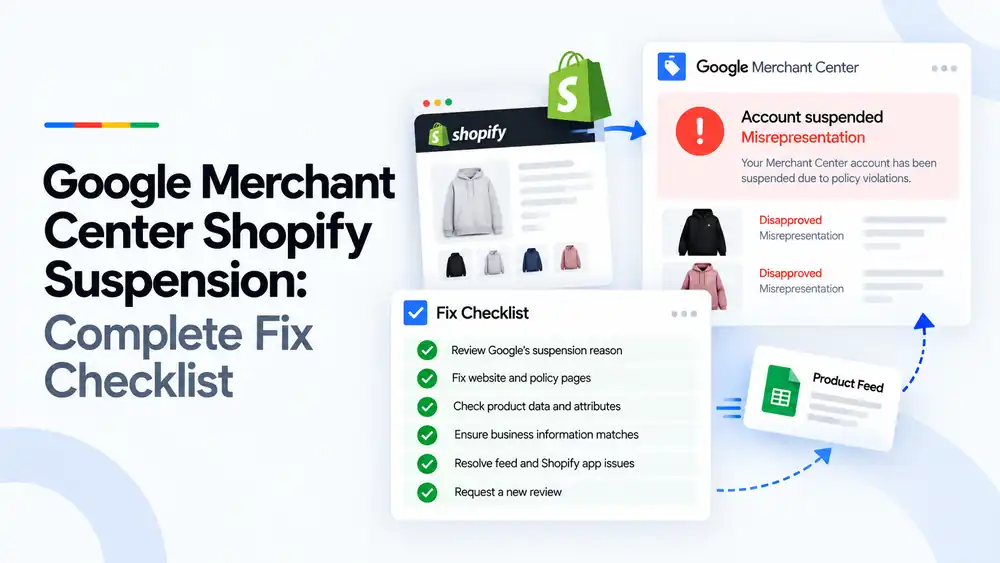
A Google Merchant Center suspension on a Shopify store is usually caused by the website, not the Shopify platform itself. The most common reasons are misrepresentation, missing or weak policy pages, unclear business details, and product data the Google and YouTube app sends that does not match the store. Fix it by reviewing the exact reason in Merchant Center, correcting your store pages, product data and business information, then requesting a new review only once everything matches.
Last updated: 1 October 2026 · By Ashraful Islam, founder of GMC Fixer
Shopify makes it easy to connect a store to Google Merchant Center, and that is exactly why so many Shopify stores get suspended. A new theme, a few apps and the Google and YouTube channel can have products live in Google within hours, before the store is ready for Google’s review. This guide gives you a complete fix checklist for Shopify suspensions, based on 5+ years of helping merchants recover their accounts.
What a Shopify Merchant Center suspension means
A suspension means Google has stopped showing all of your products, not just a few. In Shopify you may see a warning in the Google and YouTube app, but the real reason is shown in Merchant Center under the account issues or Needs attention section. The most common reasons for Shopify stores are misrepresentation, website needs improvement, and product data issues.
What Google checks on a Shopify store
| Area | What Google looks for |
|---|---|
| Business information | A clear business name, contact details and address that match Merchant Center |
| Policy pages | Real refund, shipping, privacy and terms pages written for your store |
| Product pages | Accurate prices, availability, images and descriptions |
| Checkout | A working checkout with clear costs and secure payment |
| Claims and trust signals | Honest discounts, genuine reviews and no misleading badges |
| Product data | Feed values that match the store for price, availability, shipping and identifiers |
Common causes of Shopify suspensions
| Cause | Why it is a problem |
|---|---|
| Store still on the myshopify.com domain or password protected | Google cannot review a store it cannot access properly |
| Default or copied policy pages | Pages generated from templates without your real details look untrustworthy |
| No phone, address or business name | Shoppers cannot tell who runs the store |
| Fake reviews, timers or sales popups | Misleading urgency and social proof are treated as misrepresentation |
| Very large or permanent discounts | Compare-at prices that are never charged look misleading |
| Supplier images and descriptions | Copied content makes the store look low quality |
| Wrong Shopify Markets or shipping settings | Prices, currency or shipping sent to Google do not match the store |
| Products synced before they were ready | Draft, placeholder or out-of-stock products reach Google |
The complete Shopify fix checklist
- Review Google’s suspension reason. Open Merchant Center, note the exact issue and read the linked policy.
- Fix website and policy pages. Write real refund, shipping, privacy and terms pages, and add an About page and a full Contact page.
- Check product data and attributes. Make sure titles, prices, availability, images, GTINs and brands are accurate in Shopify.
- Ensure business information matches. Use the same business name, address and contact details in Shopify, on the website and in Merchant Center.
- Resolve feed and Shopify app issues. Check the Google and YouTube app settings, Shopify Markets, shipping rates and which products are synced.
- Remove misleading elements. Turn off fake review, countdown and sales notification apps, and fix compare-at prices.
- Test the store as a shopper. Place a test order, check every link and confirm the checkout works.
- Request a new review. Only request it once everything is fixed, and keep the store stable while Google reviews it.
A quick Shopify settings checklist
- Custom domain connected and store password removed
- Policies filled in under Settings and linked in the footer
- Contact page with email, phone and business address
- Shipping rates in Shopify match the shipping sent to Google
- Shopify Markets currencies and prices set up correctly
- Only active, in-stock products synced to Google
- Vendor, product type and variant options filled in correctly
- No apps adding fake reviews, timers or popups
For a broader view of everything Google checks, see our Google Merchant Center suspension checklist.
What not to do
- Do not request a review straight away without making changes.
- Do not open a new Merchant Center account to get around the suspension.
- Do not disconnect and reconnect the Google and YouTube app hoping it resets the account.
- Do not hide problems with temporary changes and undo them after approval.
- Do not copy policy pages from another store.
Shopify suspension vs. product disapprovals
| Account suspension | Product disapprovals | |
|---|---|---|
| What is affected | Every product in the account | Only the affected products |
| Typical causes | Misrepresentation, website quality, policy issues | Missing or mismatched product data |
| Where to fix | Website, business information and policies | Product data in Shopify or the feed |
| Review | Request an account review once fixed | Products are rechecked after the feed updates |
If only some products are affected, our guide to product feed errors is the better place to start.
How GMC Fixer approaches Shopify suspensions
We audit your Shopify store, theme, apps, settings and Google and YouTube app setup against Google’s policies, fix what is causing the suspension, and prepare the account for review. This is the core of our Google Merchant Center suspension fix service, and Shopify stores are a large part of our work.
Frequently asked questions
Why was my Shopify store suspended in Google Merchant Center?
Most Shopify suspensions are for misrepresentation, website quality issues or product data that does not match the store. Common triggers include missing contact details, copied policy pages, unrealistic discounts, fake reviews and products synced with wrong prices or availability.
Does the Shopify Google and YouTube app cause suspensions?
The app itself does not cause suspensions, but it sends whatever your store contains. If product data, shipping settings or markets are set up wrongly in Shopify, the app sends those mistakes to Google, which can lead to disapprovals and account issues.
How long does a Shopify Merchant Center review take?
A review usually takes from a few days to around a week, though it can take longer. Only request a review once every issue is fixed, because repeated failed reviews can lead to longer waiting periods.
Should I create a new Merchant Center account if my Shopify store is suspended?
No. Creating a new account to get around a suspension can be treated as circumventing Google’s policies and can make the problem worse. Fix the store and request a review on the existing account instead.
Do dropshipping Shopify stores get suspended more often?
Dropshipping stores are often flagged because they tend to use supplier images and descriptions, long or unclear delivery times, and limited business information. Dropshipping is allowed, but the store must be transparent and trustworthy.
Related guides
- Google Merchant Center misrepresentation suspension: how to fix it
- Google Merchant Center website needs improvement: how to fix it
- Google Merchant Center suspension checklist
- Google Merchant Center reinstatement: what to expect
- Google Merchant Center WooCommerce suspension: what to check before review
- Google Merchant Center dropshipping suspension: compliance guide for 2026
- Can you create a new Google Merchant Center account after suspension?
- Google Merchant Center landing page not working: how to fix URL and crawl issues
- Google Merchant Center Free Shipping Claims
- Google Merchant Center Review Failed
- Common Problems Found in 100 Suspended Merchant Center Stores
- 10 Patterns We Keep Seeing in Failed Merchant Center Reviews
- What We Learned From Reviewing Suspended Dropshipping Stores
- Google Merchant Center Review Failed: Why It Happens
- Google Merchant Center Review Button Disabled: What the Cooldown Period Means
- Google Merchant Center Product Page Blocked by Robots.txt: How to Fix Googlebot Access
- Google Merchant Center Automatic Updates: Should You Enable Them?
Get a free review of your account
If your Shopify store has been suspended in Google Merchant Center, send us your store URL and a screenshot of the issue. We will tell you what is causing it and how to fix it, and we reply within 24 hours.
Leave a Reply